ChatGPT is no longer just a writing assistant. For SEO teams, consultants and small businesses, it can become a working interface for audits, crawl analysis, content planning and technical decision-making. The difference is whether ChatGPT only answers from memory or whether it can work with real data from the tools you already use.
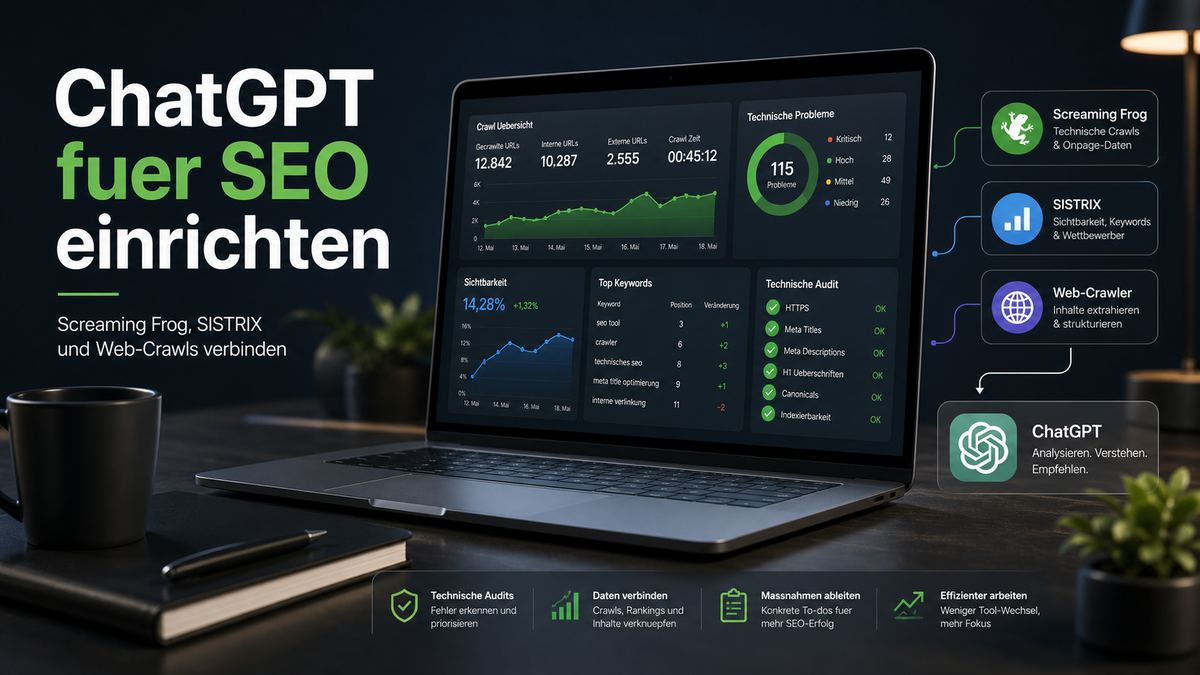
This guide shows how I set up ChatGPT for SEO on automatedweb.net. The setup connects ChatGPT with external SEO systems such as Screaming Frog, SISTRIX and web crawling tools through custom connectors and MCP servers. The goal is not a flashy demo. The goal is a workflow that lets ChatGPT read crawl exports, understand technical issues and turn them into concrete SEO actions.
What This Setup Tries To Solve
Most SEO workflows are split across many places. A crawl runs in Screaming Frog. Visibility data lives in SISTRIX. Content lives in the CMS. Notes live in a document. Recommendations are written in a separate report. ChatGPT often sits outside that chain and is used only at the end to rewrite, summarize or explain something.
That is useful, but it misses the bigger opportunity. ChatGPT becomes much more helpful when it can access the data source itself. Instead of pasting random exports into a chat, the assistant can call defined actions, request a crawl overview, compare reports, inspect status codes, look at titles and meta descriptions, check canonicals, review hreflang data and then explain what actually matters.
The practical question is therefore not: can ChatGPT write SEO text? It can. The better question is: can ChatGPT become the place where SEO data is collected, interpreted and converted into decisions? With the right setup, the answer is yes.
The Core Components
The setup uses four building blocks. Each block has a different role, and the workflow only becomes stable when those roles stay clear.
| Component | Role in the SEO workflow | Why it matters |
|---|---|---|
| ChatGPT developer mode | Create and test custom connectors | Without developer mode you cannot add the required custom actions in ChatGPT Desktop. |
| Screaming Frog MCP | Run crawls and export technical reports | This is the source for status codes, titles, descriptions, H1s, canonicals, hreflang, images and structured data. |
| SISTRIX MCP | Provide visibility, keyword and competitor data | Technical findings are easier to prioritize when you know which URLs and topics have search value. |
| Firecrawl or web scraper | Fetch page content in a structured way | Useful when ChatGPT needs to inspect page copy, templates, headings or content blocks. |
Step 1: Enable Developer Mode in ChatGPT
The first step is inside ChatGPT Desktop. Open the settings, go to the apps or connector area and enable developer mode. This is the part many people miss. Without developer mode, you can usually use installed apps, but you cannot properly add your own MCP endpoints and inspect the actions ChatGPT receives from them.
After developer mode is enabled, ChatGPT can show a connector URL, authorization support and the list of available actions. That action list is important. It tells you whether ChatGPT can really see the tools exposed by your MCP server. If the connector is green but no useful actions appear, the connection is not finished yet.
- Open ChatGPT settings.
Go to the app and connector settings inside ChatGPT Desktop. - Enable developer mode.
This unlocks the area where custom MCP connectors can be added and refreshed. - Add the MCP URL.
Use the public HTTPS URL of your MCP endpoint, not a local address. - Refresh actions.
Check whether ChatGPT lists the actual actions such as crawl, export, clear crawl or report functions. - Test with a small task.
Ask for a simple status or report call before starting a full crawl.
Step 2: Make The MCP Server Reachable
ChatGPT cannot call a connector that only runs on localhost. For local experiments that is the biggest friction point. The MCP server must be reachable through a public HTTPS endpoint. In my setup I used Cloudflare infrastructure and a public connector URL so ChatGPT Desktop could call the MCP server safely.
This is also where many "unsafe URL" or "not reachable" errors appear. ChatGPT expects a valid HTTPS URL and a response that matches the connector protocol. A local HTTP endpoint, a tunnel with the wrong target or an endpoint that redirects unexpectedly can make the connector fail even when the MCP server itself works locally.
Step 3: Connect Screaming Frog To ChatGPT
Screaming Frog is the most useful part of the setup for technical SEO. The SEO Spider already understands crawls, status codes, canonicals, indexability, headings, meta data, images, structured data and many other signals. The MCP layer exposes that capability as actions ChatGPT can call.
The goal is not to replace Screaming Frog. The goal is to let ChatGPT orchestrate the crawl and interpret the results. A typical workflow looks like this:
- Start a crawl for a domain.
ChatGPT calls the crawl action with a start URL such ashttps://automatedweb.net. - Poll until the crawl is finished.
The assistant waits for crawl completion instead of asking for reports too early. - Pull the crawl overview.
This gives the total URL count, internal URLs, HTML pages, indexability and status code distribution. - Export focused reports.
Status codes, titles, meta descriptions, H1, canonicals, hreflang, images and structured data are checked separately. - Turn findings into priorities.
ChatGPT separates critical technical issues from low-impact warnings.
That last step is where ChatGPT becomes useful. A raw Screaming Frog export can contain hundreds of rows. ChatGPT can group the findings by impact, explain why an issue matters and produce a task list that is easier to act on.
Step 4: Add SISTRIX For Search Context
A crawl tells you what is technically happening on the website. SISTRIX helps you understand which topics, URLs and competitors matter in search. Combining both views is powerful: a technical issue on a low-value legal page is not the same priority as a canonical or title issue on a page that has rankings or business value.
With SISTRIX connected, ChatGPT can help answer questions such as:
- Which keywords does this domain already rank for?
- Which competitors have stronger visibility for the same topic?
- Which URLs should be prioritized after a technical crawl?
- Where should content improvements focus first?
- Which keyword clusters deserve their own article or landing page?
This does not mean that ChatGPT should blindly make SEO decisions. It means the assistant can bring together data that would normally be copied between different tools.
Step 5: Use Firecrawl Or A Scraper For Content Checks
Screaming Frog is excellent for technical crawling. A web scraper such as Firecrawl can be useful when the assistant needs page-level content in a structured format. For example, ChatGPT can inspect the visible text of a page, compare headings, identify thin sections, summarize page intent or extract repeated patterns from templates.
In practice, I treat Firecrawl as a supporting tool. Screaming Frog remains the core technical crawler. SISTRIX provides search context. Firecrawl helps when content needs to be read, summarized or compared directly.
What Had To Be Adjusted
The Screaming Frog MCP did not work perfectly out of the box. It needed several practical adjustments before it behaved well inside ChatGPT Desktop.
- The endpoint had to be public. Local HTTP was not enough. The connector needed a reachable HTTPS URL.
- The action schema had to be clear. ChatGPT needs action names and descriptions that are specific enough to choose the right tool.
- The crawl workflow had to be explicit. Start crawl, poll status, export reports and then summarize. If this order is not clear, the assistant may ask for reports before the crawl is ready.
- Session handling had to be stable. A "No valid session ID provided" error usually means the crawl state is not being passed or restored correctly.
- Reports had to be split by topic. One huge export is less useful than focused checks for status codes, titles, descriptions, H1, canonicals, hreflang, images and structured data.
These are not exotic engineering problems. They are mostly workflow problems. ChatGPT needs tools that expose the right actions and enough instructions to use them in the right order.
Example Workflow For A Technical SEO Crawl
Once the connector is stable, the actual SEO workflow becomes straightforward. I ask ChatGPT to crawl the domain, wait for completion and then produce a structured report. A good prompt is specific about the exports and the expected output.
Run a Screaming Frog crawl for https://automatedweb.net.
Wait until the crawl is complete.
Then pull the overview and focused reports for:
- status codes
- titles
- meta descriptions
- H1
- canonicals
- hreflang
- images
- structured data

Summarize the findings by priority.
Separate critical technical issues from nice-to-have improvements.
Give me a concrete implementation checklist.
This prompt makes the workflow predictable. It tells ChatGPT not to stop after the first crawl status and not to produce a report from incomplete data.
What ChatGPT Can Do Well In This Setup
ChatGPT is good at synthesis. It can read several exports, find repeated patterns and explain the practical meaning. For example, it can recognize that a canonical issue, a hreflang mismatch and a sitemap inconsistency all point to the same underlying URL normalization problem.
It is also useful for turning technical output into tasks. Instead of only saying "meta descriptions are too long", it can list the affected URLs, propose shorter versions and explain which pages are worth fixing first.
In a mature workflow, ChatGPT can support:
- technical SEO audits
- crawl summaries
- hreflang and canonical checks
- structured data recommendations
- content quality reviews
- internal linking checks
- SEO briefs for new articles
- prioritized implementation checklists
Where You Still Need Human Review
This setup does not remove the need for SEO judgment. ChatGPT can misread data, over-prioritize minor warnings or miss business context. It can also produce recommendations that are technically correct but strategically unimportant.
I use the assistant as a working layer, not as the final authority. The best results come when ChatGPT prepares the analysis and a human checks the priorities. That is especially important for canonical rules, international SEO, migration decisions, noindex handling and content strategy.
Recommended Tool For Implementation
For the implementation work itself, I recommend using Codex. In this setup, Codex helped connect the local project, Cloudflare deployment, D1 content updates, static assets, video integration and template fixes. That is exactly the kind of work where a coding assistant is useful: not just writing text, but changing the actual site, checking the build and deploying the result.
ChatGPT is the SEO workspace. Codex is the implementation tool. Screaming Frog, SISTRIX and Firecrawl provide the data. When those roles are separated clearly, the workflow becomes much easier to control.
Final Takeaway
Yes, the new Screaming Frog MCP can run under ChatGPT. But it needs more than a quick connector URL. You need developer mode, a public HTTPS endpoint, clean action definitions, stable session handling and a clear crawl workflow.
Once those pieces are in place, ChatGPT becomes a practical SEO interface. It can run or interpret crawls, combine technical data with search context and turn long exports into a prioritized action plan. That is the real value: fewer scattered tools, fewer manual copy-paste steps and a clearer path from crawl data to implementation.